
Getting started & setup
Exporting rejvuvenation procedures
In short
This guide explains exporting rejuvenation procedures in the Getting started & setup area of ClinicSoftware. It provides a clear operational explanation of how the capability works, then outlines the practical benefits for saving staff time, converting clients and leads, and protecting clinic revenue.
On this page
Overview
This guide explains exporting rejuvenation procedures in the Getting started & setup area of ClinicSoftware. It provides a clear operational explanation of how the capability works, then outlines the practical benefits for saving staff time, converting clients and leads, and protecting clinic revenue.
How it works
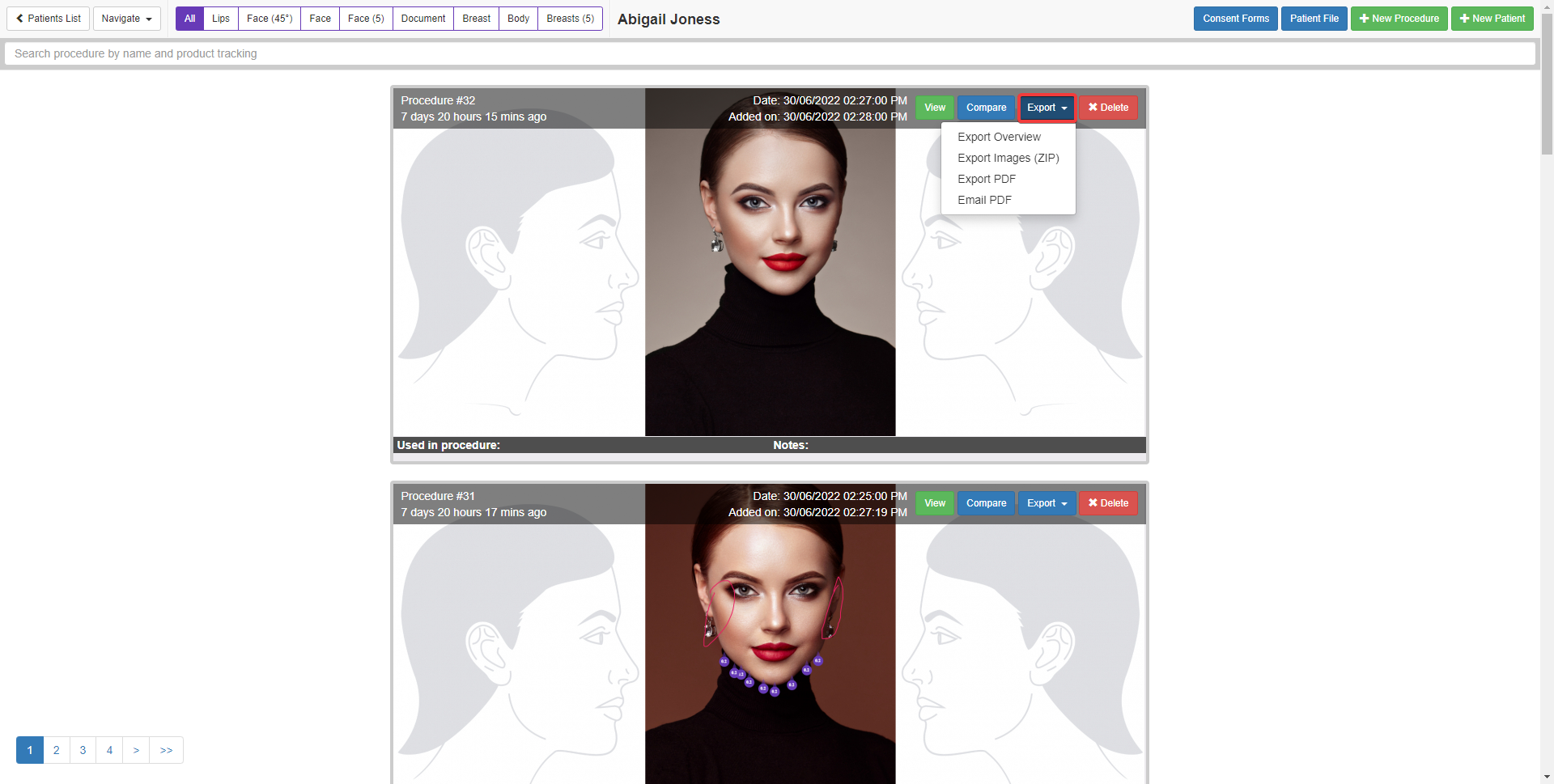
To export rejuvenation procedures, from the client procedures list page select the “Export” button of the procedure and then choose one of the export methods (Image, PDF or email PDF).
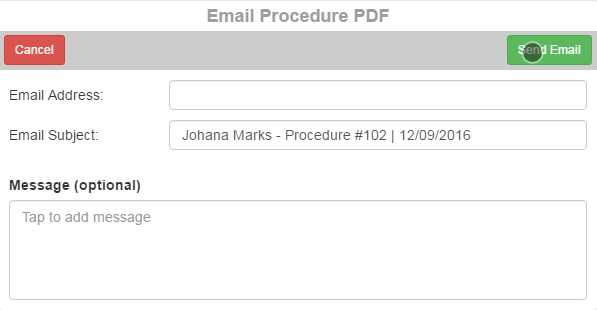
When emailing the procedure PDF file you can specify the email address, subject and notes to include in the email.
Benefits for your clinic
- Save time: Reduces set-up friction so new staff can learn exporting rejuvenation procedures quickly and follow a consistent process from day one.
- Win clients and leads: A clear foundation helps your team capture enquiries correctly and avoid losing potential clients during onboarding.
- Generate revenue: Faster, more reliable day-to-day operation protects appointment capacity and reduces costly mistakes that delay billing.