
Reports & insights
Reporting
In short
This guide explains Reporting in the Reports & insights area of ClinicSoftware. It provides a clear operational explanation of how the capability works, then outlines the practical benefits for saving staff time, converting clients and leads, and protecting clinic revenue.
On this page
Overview
This guide explains Reporting in the Reports & insights area of ClinicSoftware. It provides a clear operational explanation of how the capability works, then outlines the practical benefits for saving staff time, converting clients and leads, and protecting clinic revenue.
How it works
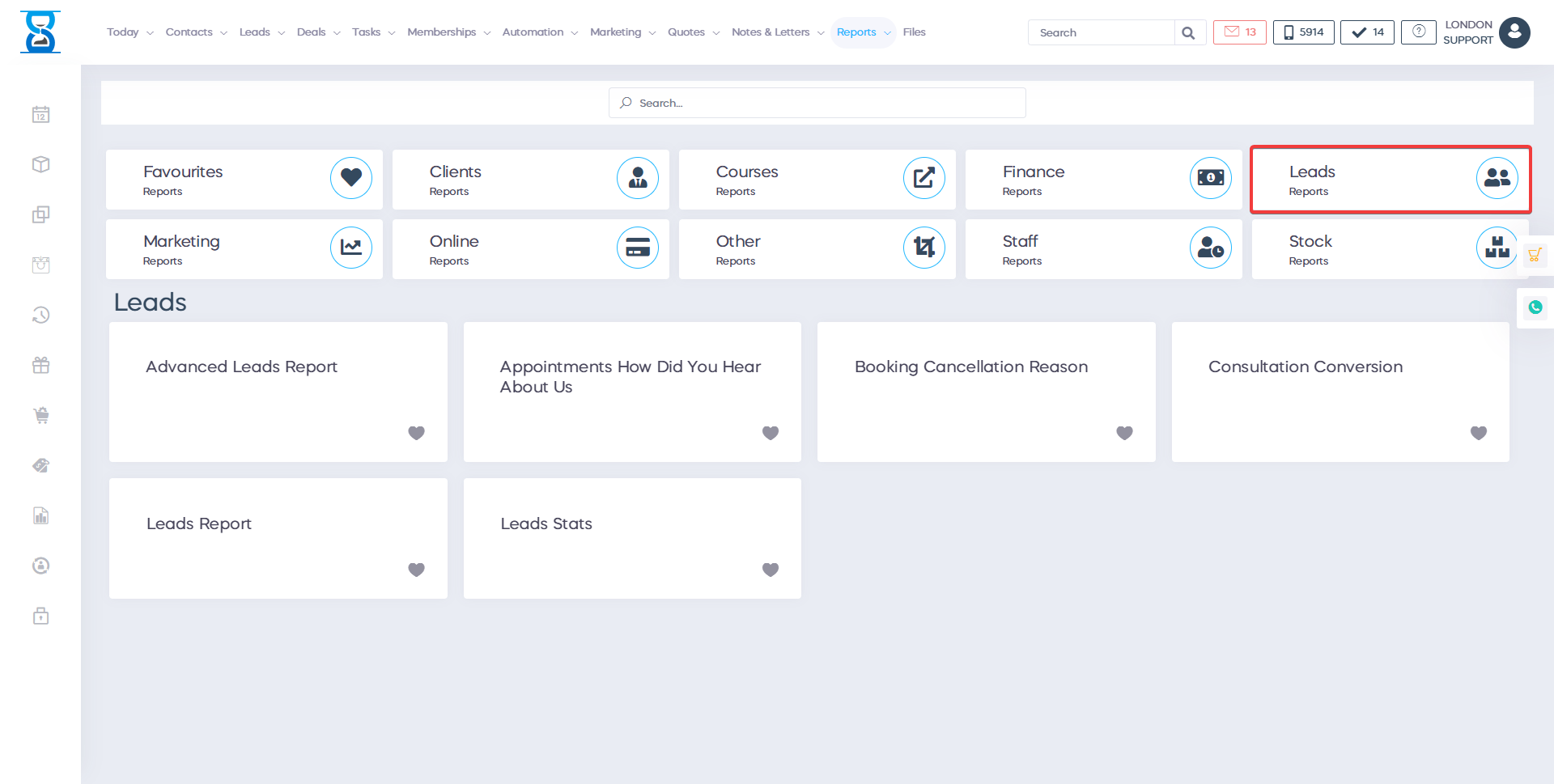
You can view the number of leads, conversions, junk and percentages for total and by the lead owner by using the Leads Stats report.
To access the report, go to Admin > Reports > Leads Stats.
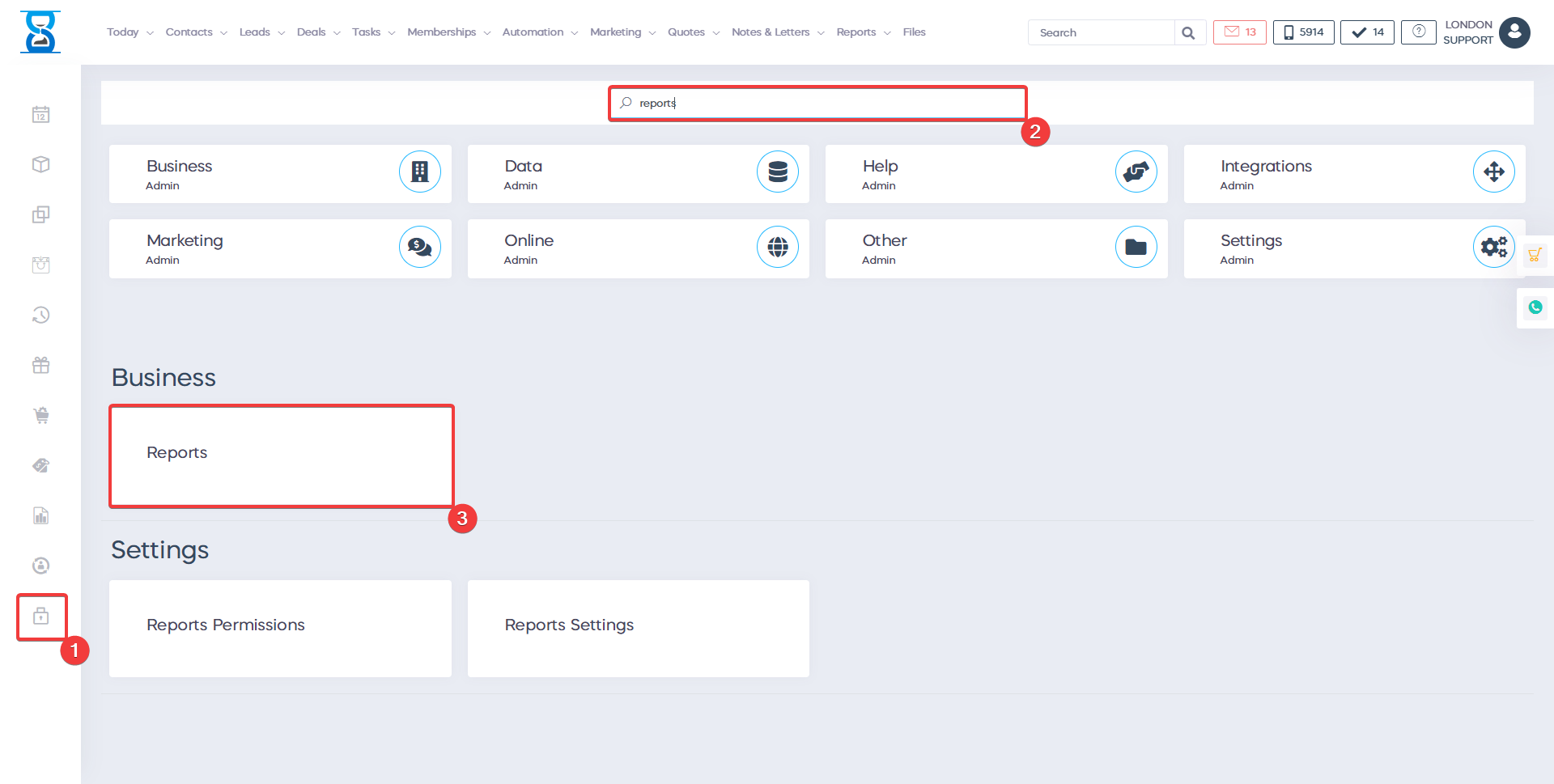
This report will also allow you to track number of 1St Consults, second, no shows, consults attended, total unsuitable, net consults and quotes conversion.
Benefits for your clinic
- Save time: Provides ready-made insight for Reporting, removing the need to assemble performance numbers manually.
- Win clients and leads: Highlights where enquiries stall so managers can improve conversion processes.
- Generate revenue: Clear commercial visibility helps the clinic act quickly on underperforming services, staff capacity or sales opportunities.