
Clients & records
Client consent forms
In short
This guide explains Client consent forms in the Clients & records area of ClinicSoftware. It provides a clear operational explanation of how the capability works, then outlines the practical benefits for saving staff time, converting clients and leads, and protecting clinic revenue.
On this page
Overview
This guide explains Client consent forms in the Clients & records area of ClinicSoftware. It provides a clear operational explanation of how the capability works, then outlines the practical benefits for saving staff time, converting clients and leads, and protecting clinic revenue.
How it works
This is an example of a workflow that is using the paperless consent forms feature:
This is an example of a consent form which was signed using a mobile phone:
This is an example of a workflow that is using the paperless consent forms feature:
This is an example of a consent form which was signed using a mobile phone:
The client consent forms can be accessed by pressing the “ Available Consent Forms” button from the main software client list page and then scanning the QR code with your tablet.
The client consent forms can also be accessed by the staff admin area URL that we provide when we set up the software by logging in as staff, selecting the client and then accessing the consent forms page from the client profile.
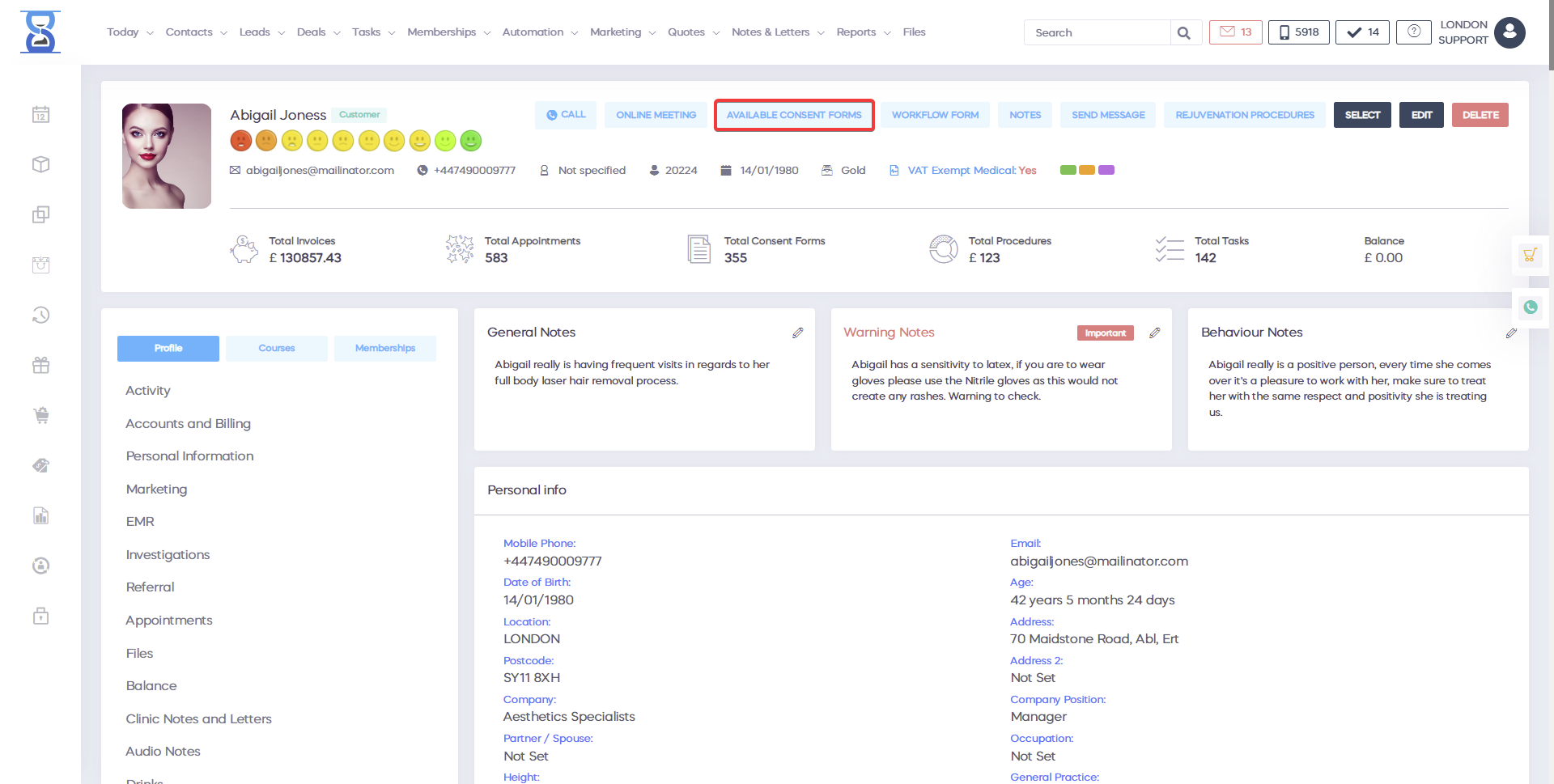
To scan the QR code, use the QR code scanner application from your tablet.
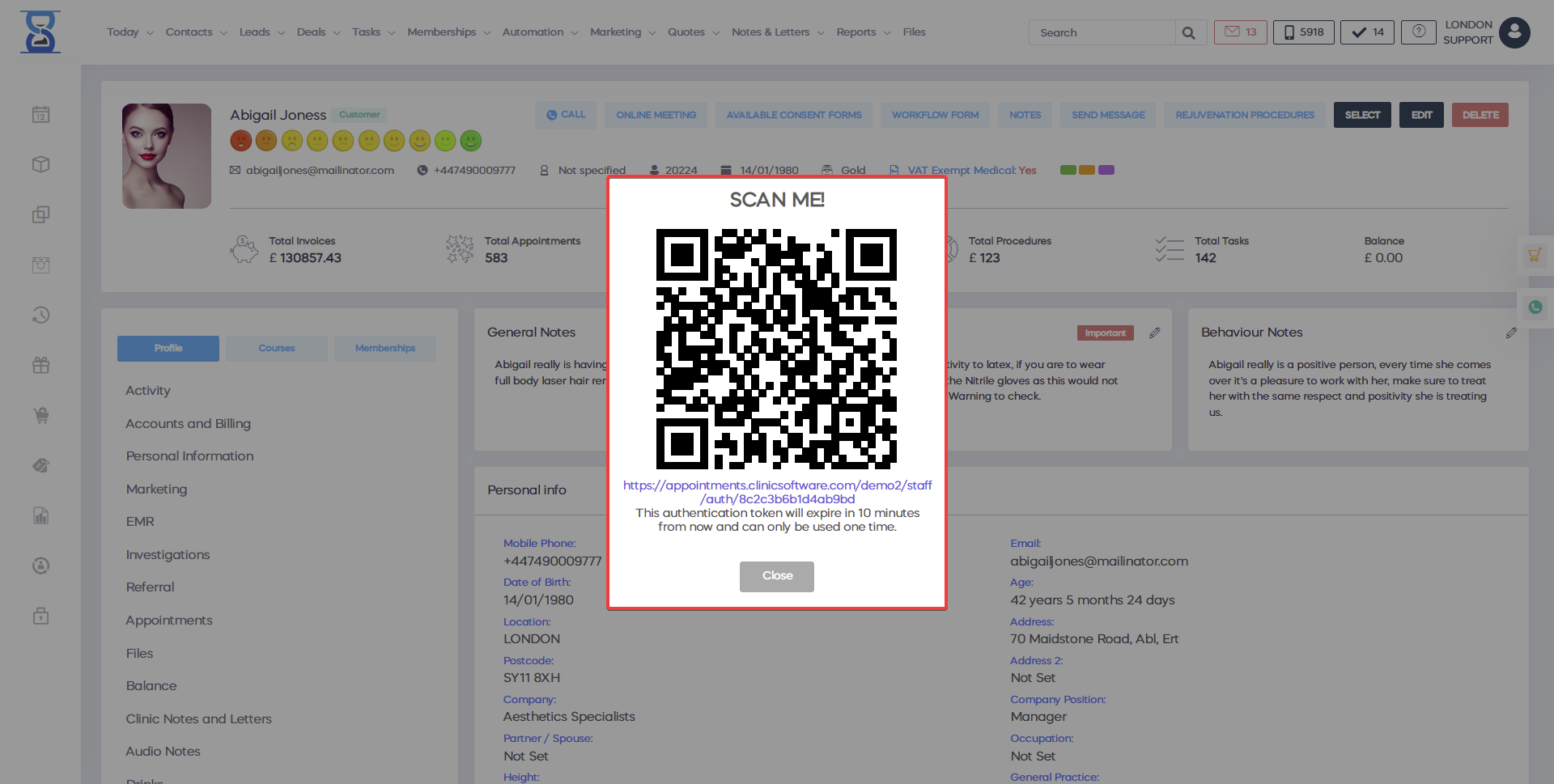
After scanning the QR code the system automatically logs you in as staff, selects the client and opens the “Available Consent Forms” page.
The “Available Consent Forms” page can only be accessed by the staff as the forms are signed at the salon / clinic in the presence of the staff.
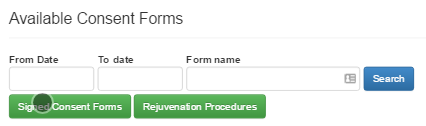
To access the client signed consent forms, select the “Signed Consent Forms” button.
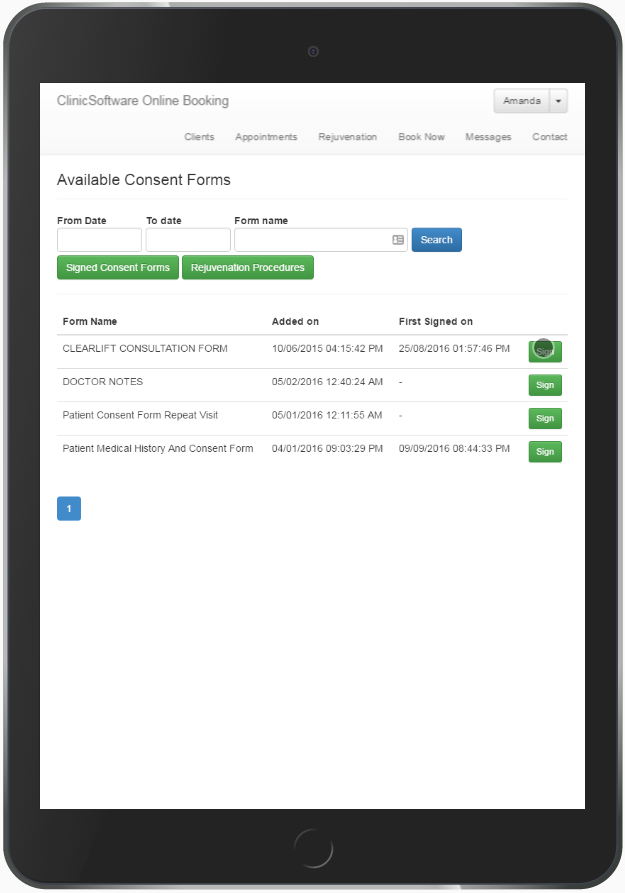
To sign a new consent form, select the “Sign” button of the consent form.
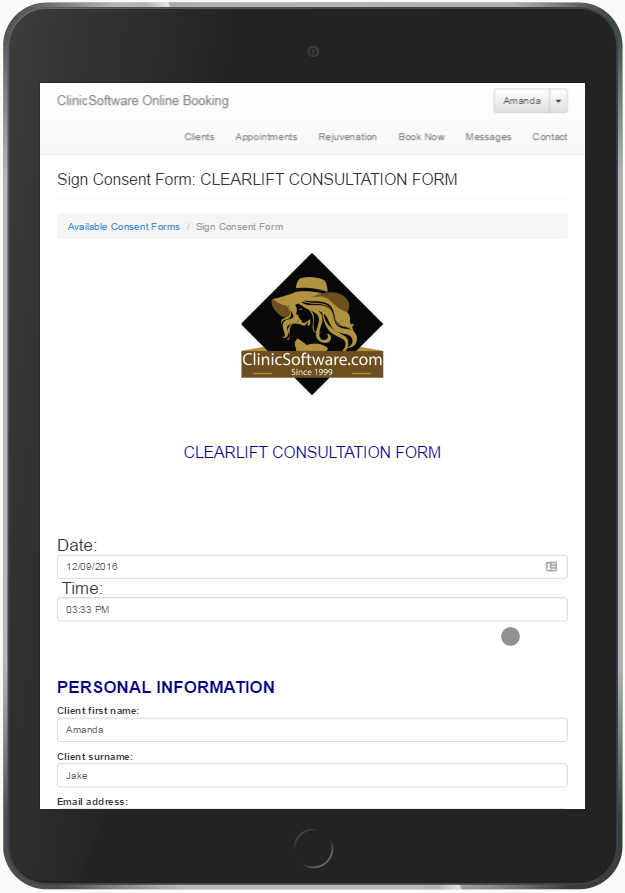
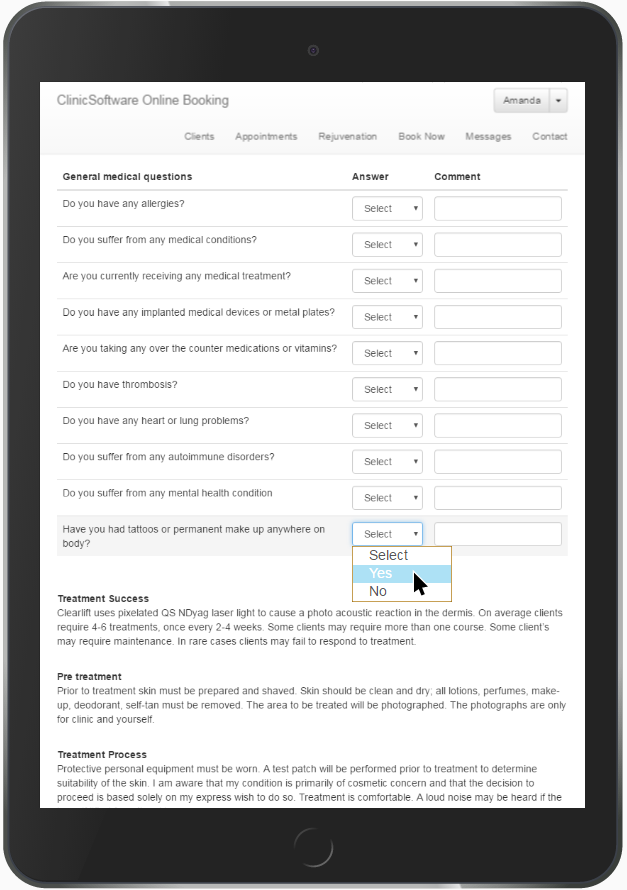
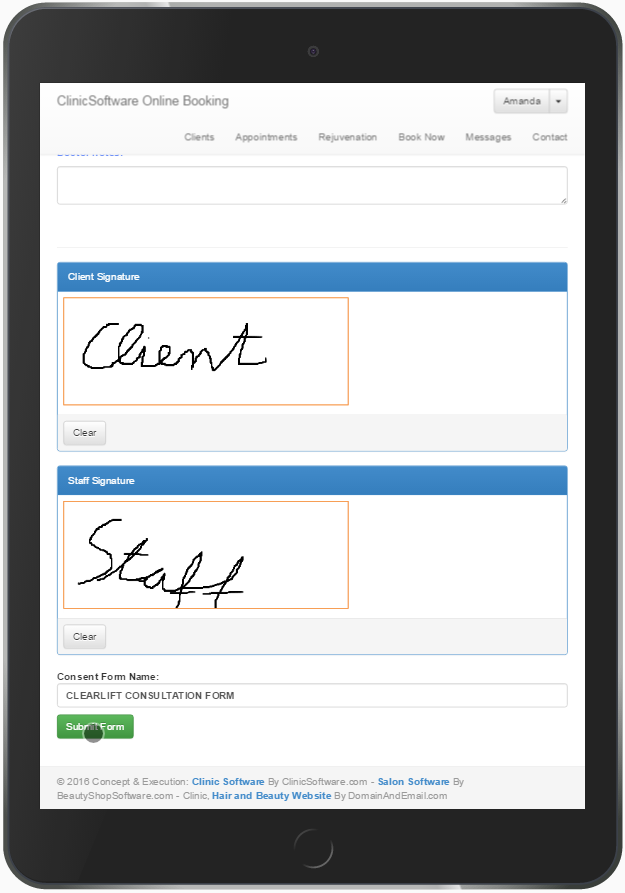
Fill in and sign the form using the bottom client and staff signature fields and then select the “SUBMIT FORM” button (scroll down).
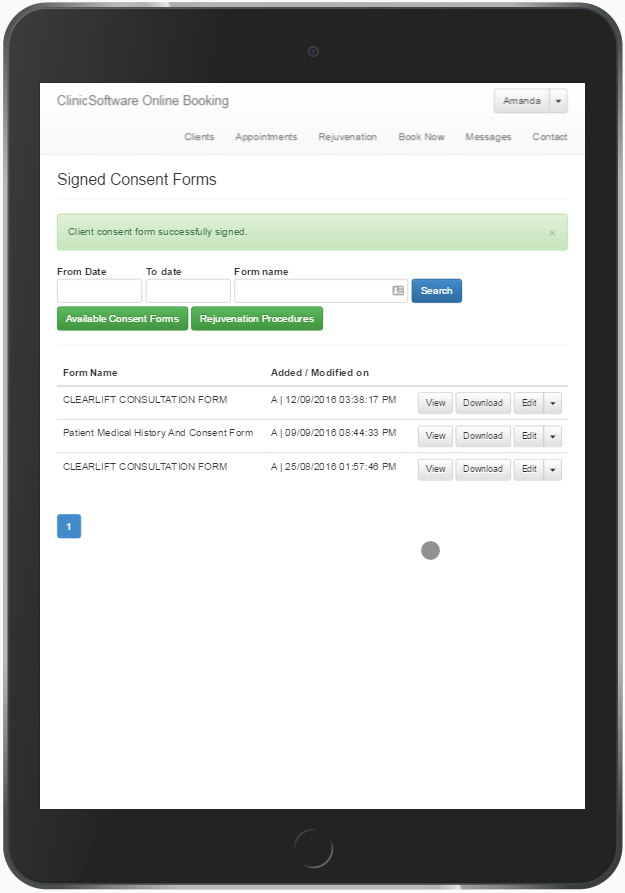
After the form has been signed you will be redirected to the selected client’s signed consent forms from which you can view, download and edit existing consent forms (e.g. in case the doctor is not in the clinic).
This page can also be accessed from the available consent forms page by using the “Signed Consent Forms” button.
Benefits for your clinic
- Save time: Keeps client information, notes and clinical history in one place, reducing time spent searching across paper files or disconnected tools.
- Win clients and leads: Complete, accurate profiles support better follow-up conversations and help turn first visits into ongoing relationships.
- Generate revenue: Better record-keeping supports treatment planning, rebooking and retail recommendations that increase lifetime client value.