
Online booking, shop & apps
Mobile view navigation
In short
This guide explains Mobile view navigation in the Online booking, shop & apps area of ClinicSoftware. It provides a clear operational explanation of how the capability works, then outlines the practical benefits for saving staff time, converting clients and leads, and protecting clinic revenue.
On this page
Overview
This guide explains Mobile view navigation in the Online booking, shop & apps area of ClinicSoftware. It provides a clear operational explanation of how the capability works, then outlines the practical benefits for saving staff time, converting clients and leads, and protecting clinic revenue.
How it works
While viewing the online booking website from a mobile device we use the bottom navigation menu.
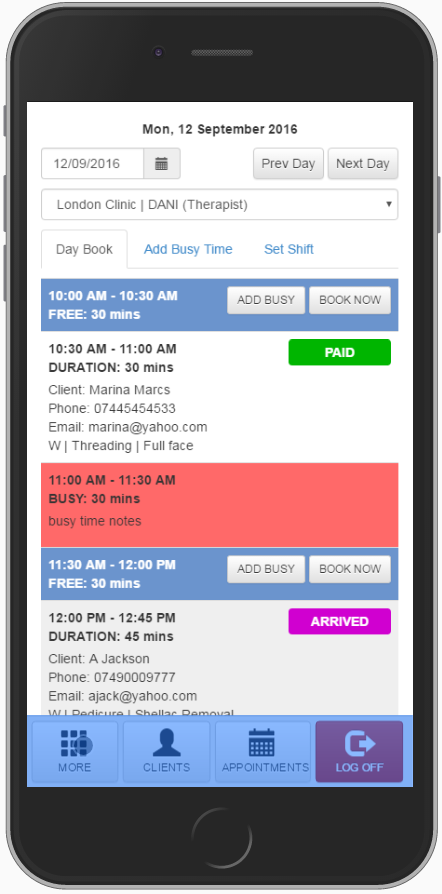
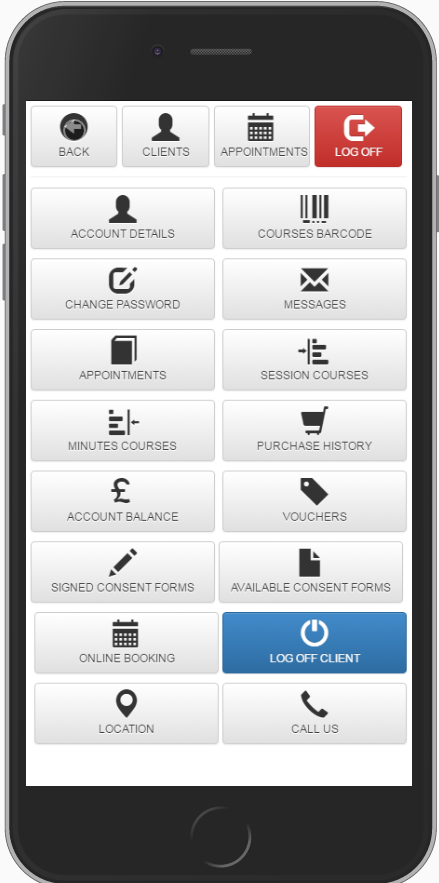
The “MORE” button opens a menu from which you can access the selected client profile pages and consent forms.

You can close the menu by pressing the “BACK” button.
The “CLIENTS” button will open the staff admin area / clients page from which we can return (e.g. from the booking page) and select a different client.

The “APPOINTMENTS” button will open the staff admin area Appointments / Shifts page from which you can update appointments, set busy time and the staff shifts.

The “LOG OFF” button will log you out and return to the staff login page.

Benefits for your clinic
- Save time: Lets clients book outside opening hours, freeing reception from routine scheduling calls and back-and-forth messages.
- Win clients and leads: Makes it easy for new clients to convert interest into a confirmed booking at the moment they decide to act.
- Generate revenue: 24/7 booking capacity captures demand that would otherwise be lost overnight or during busy periods.