
To use Communication Channel, please follow the steps below:
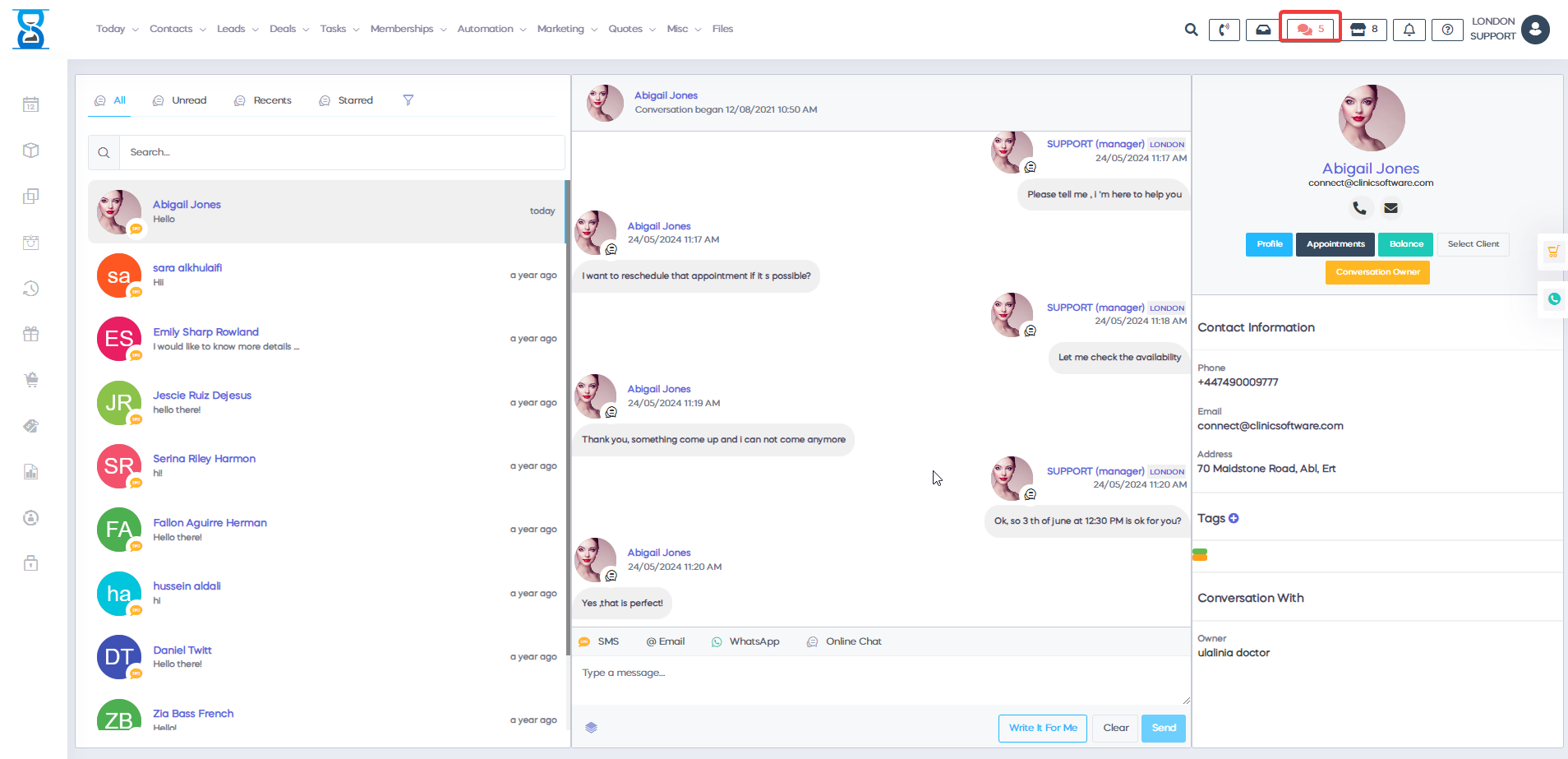
1) Click on the right corner of the chat icon.
Ā
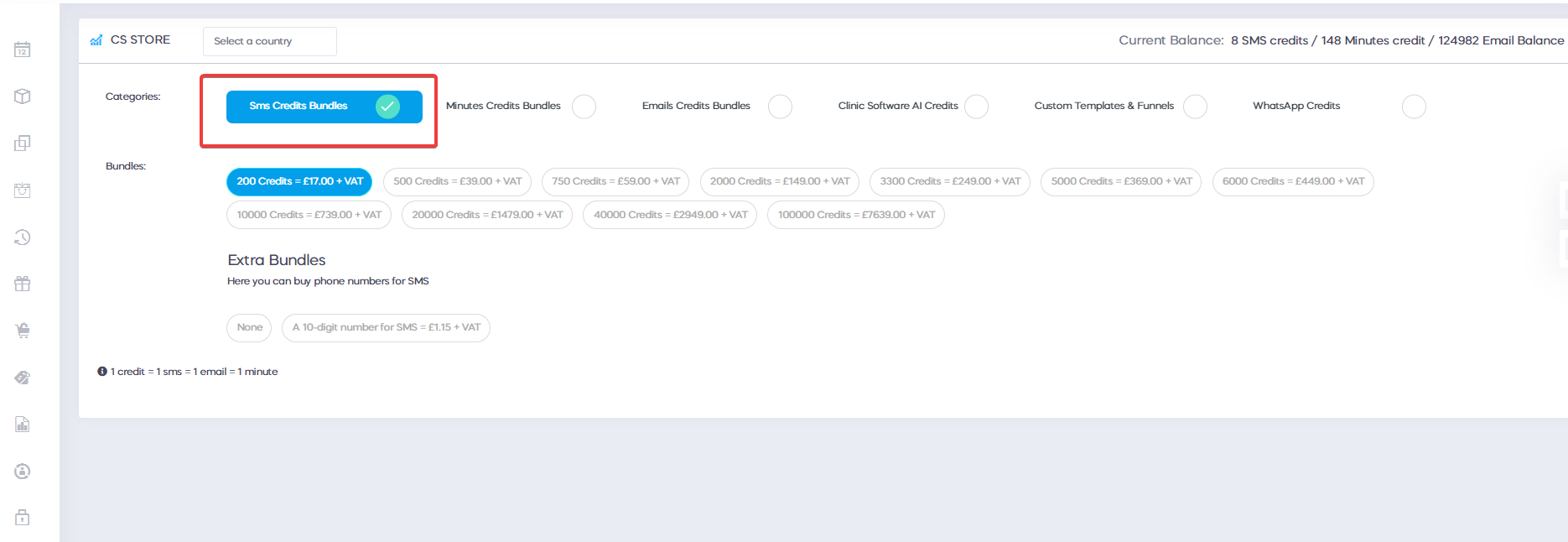
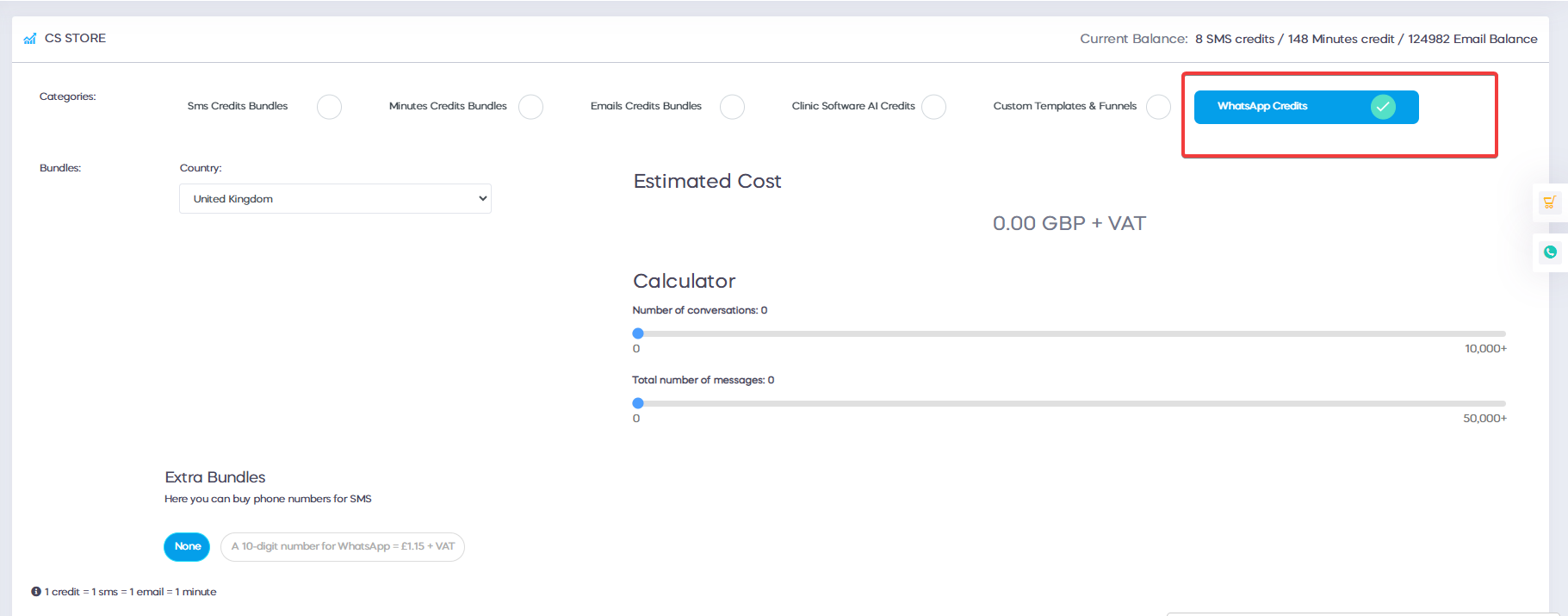
2) Keep in mind that the online chat and email are free to use, but for SMS and WhatsApp, you need to make a top-up to add credits.
3) On the left cornerĀ can select the client messages that you want to see: All, Unread, RecentsĀ and Started.
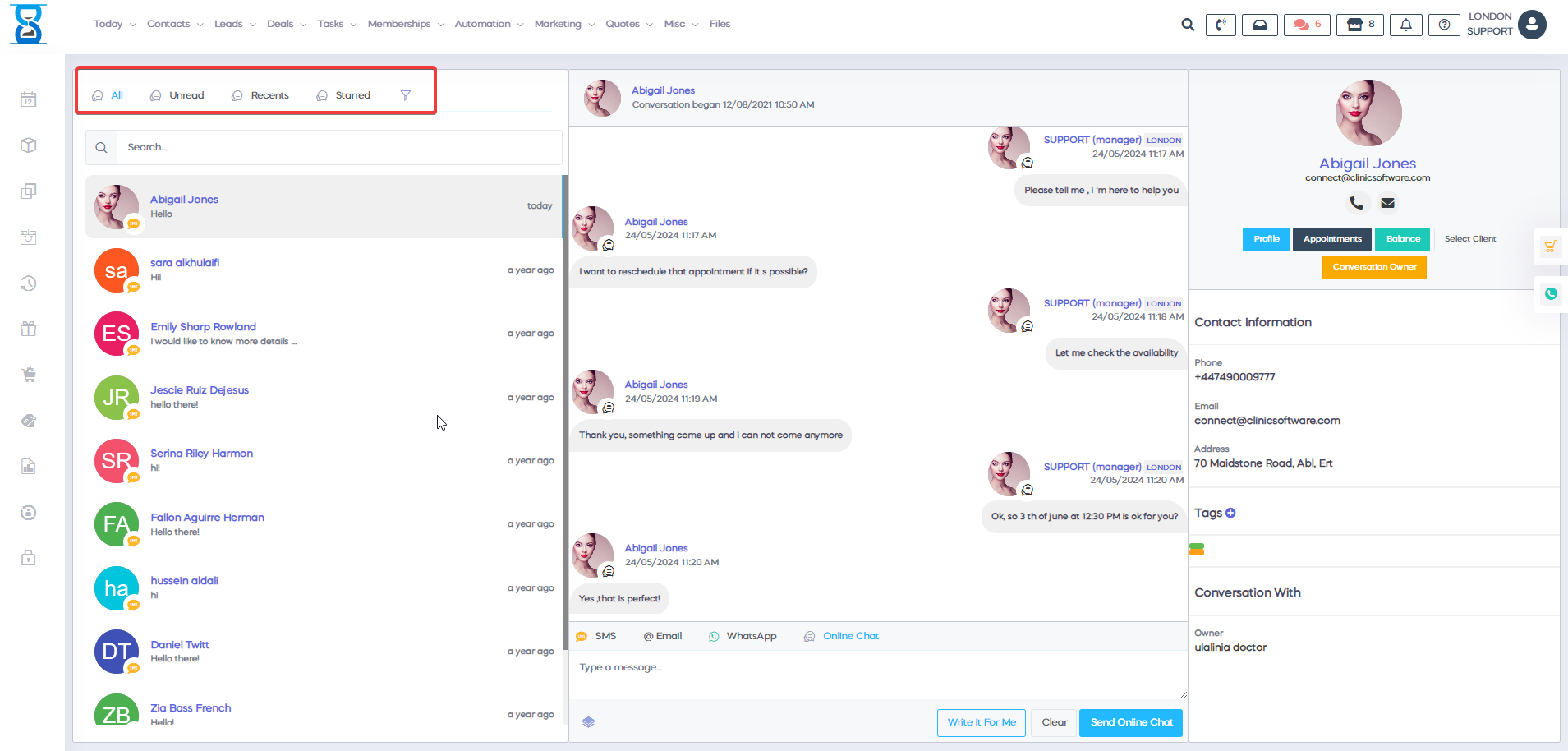
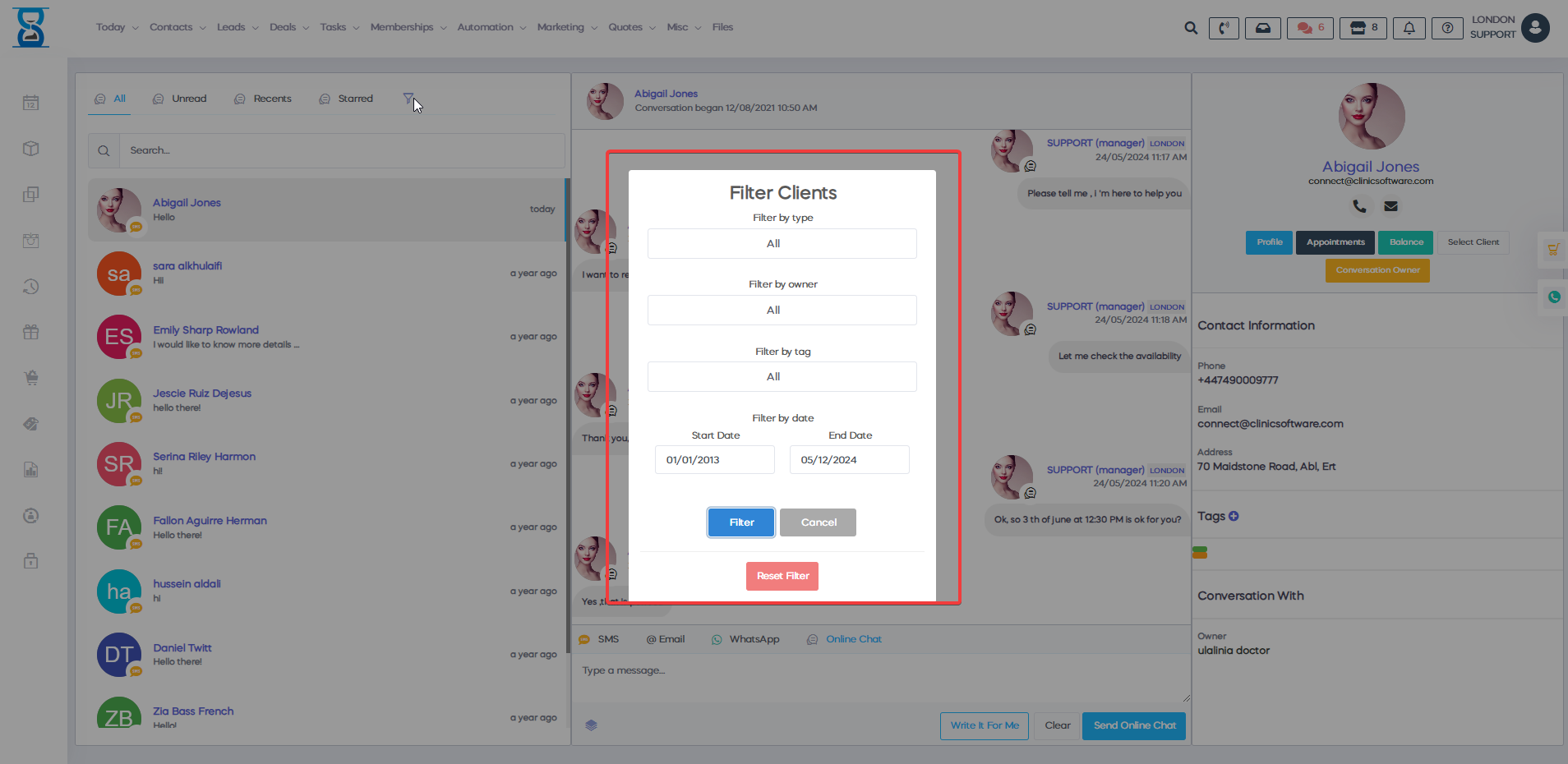
a) Located in the same corner isĀ a filter that can helpĀ to filter clients by: Owner, Type, TagĀ or select a date range and a + sign where you can initiate a new conversation
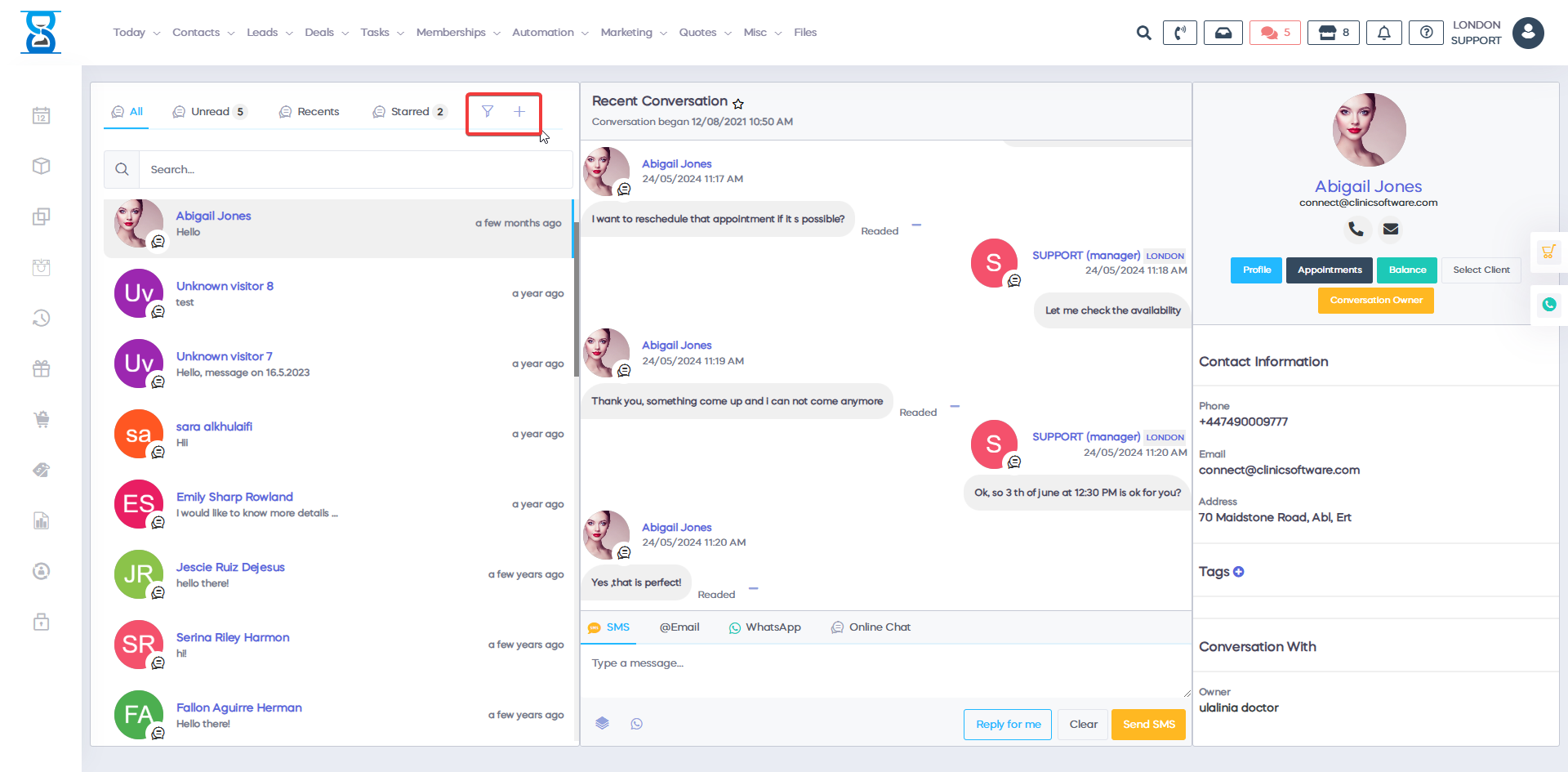
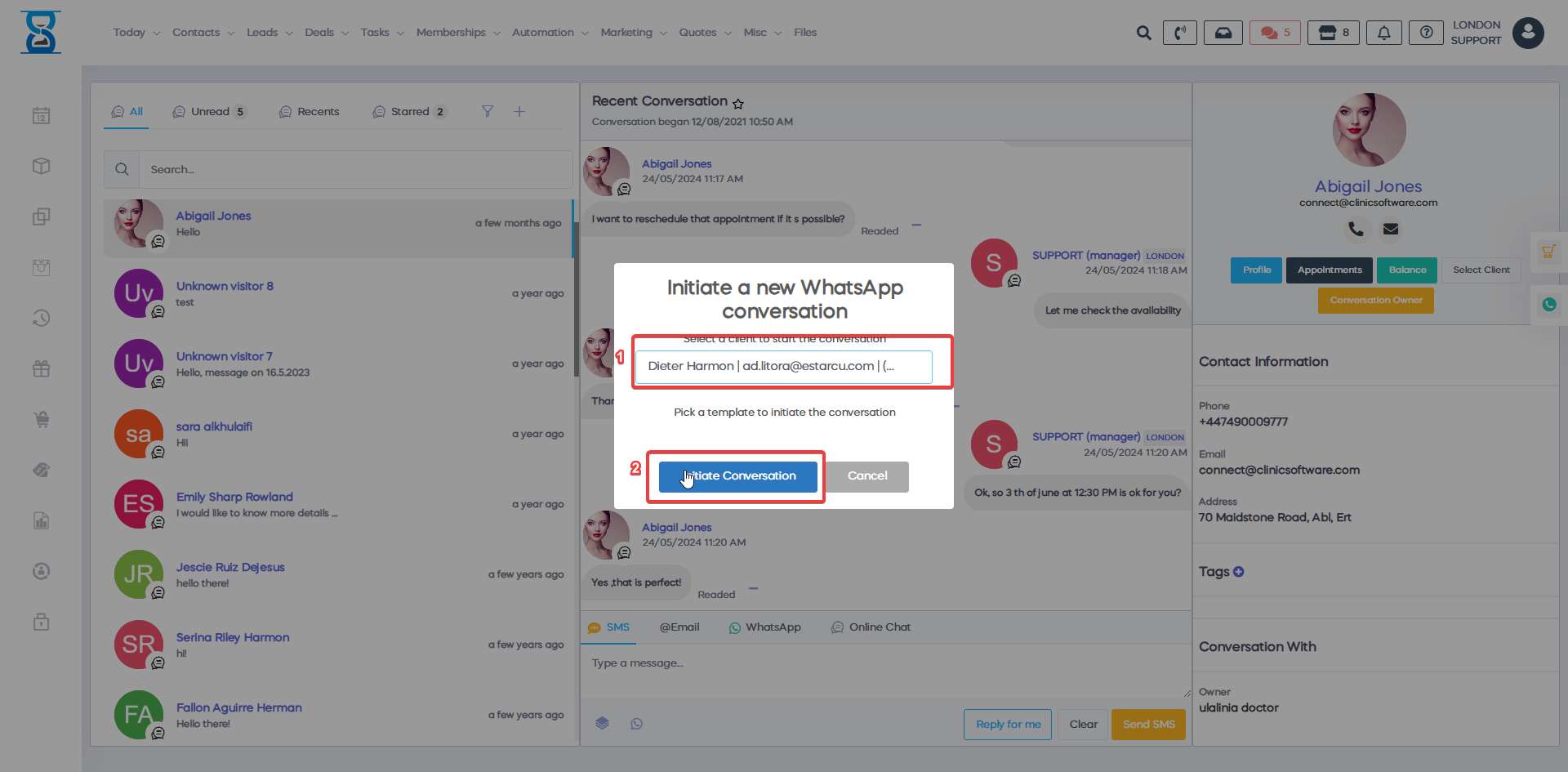
b) Clicking the + sign prompts you to choose a communication channel, either WhatsApp or SMS. Afterward, select the client and press "Initiate Conversation."
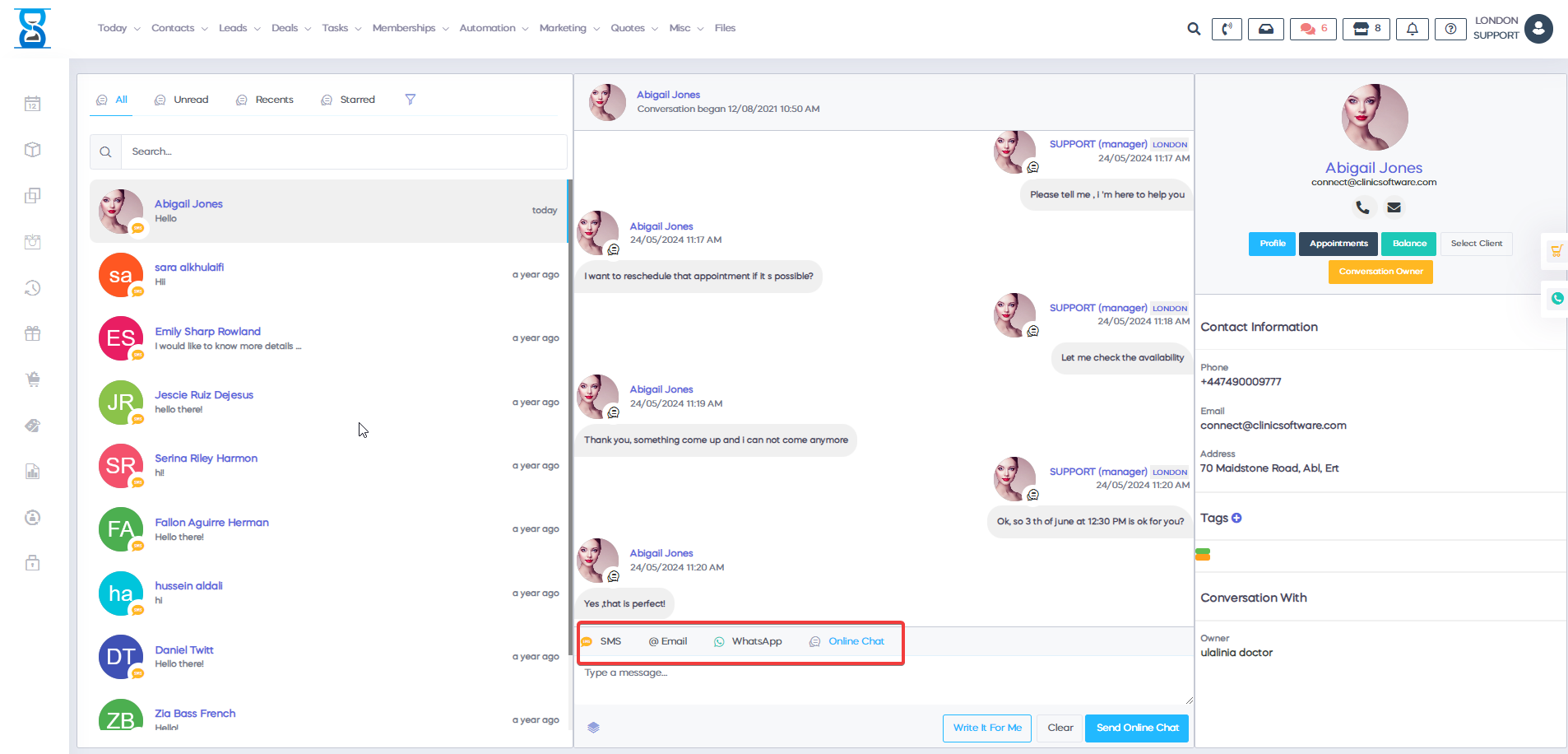
4) In the message field, you can select if you want to use SMS, Email, WhatsApp, or Online Chat.
Just select the one that you want, writeĀ the message to, and press send.
5) On the right corner, you have the capability to see the client profile, appointments, balance, and select client.Ā
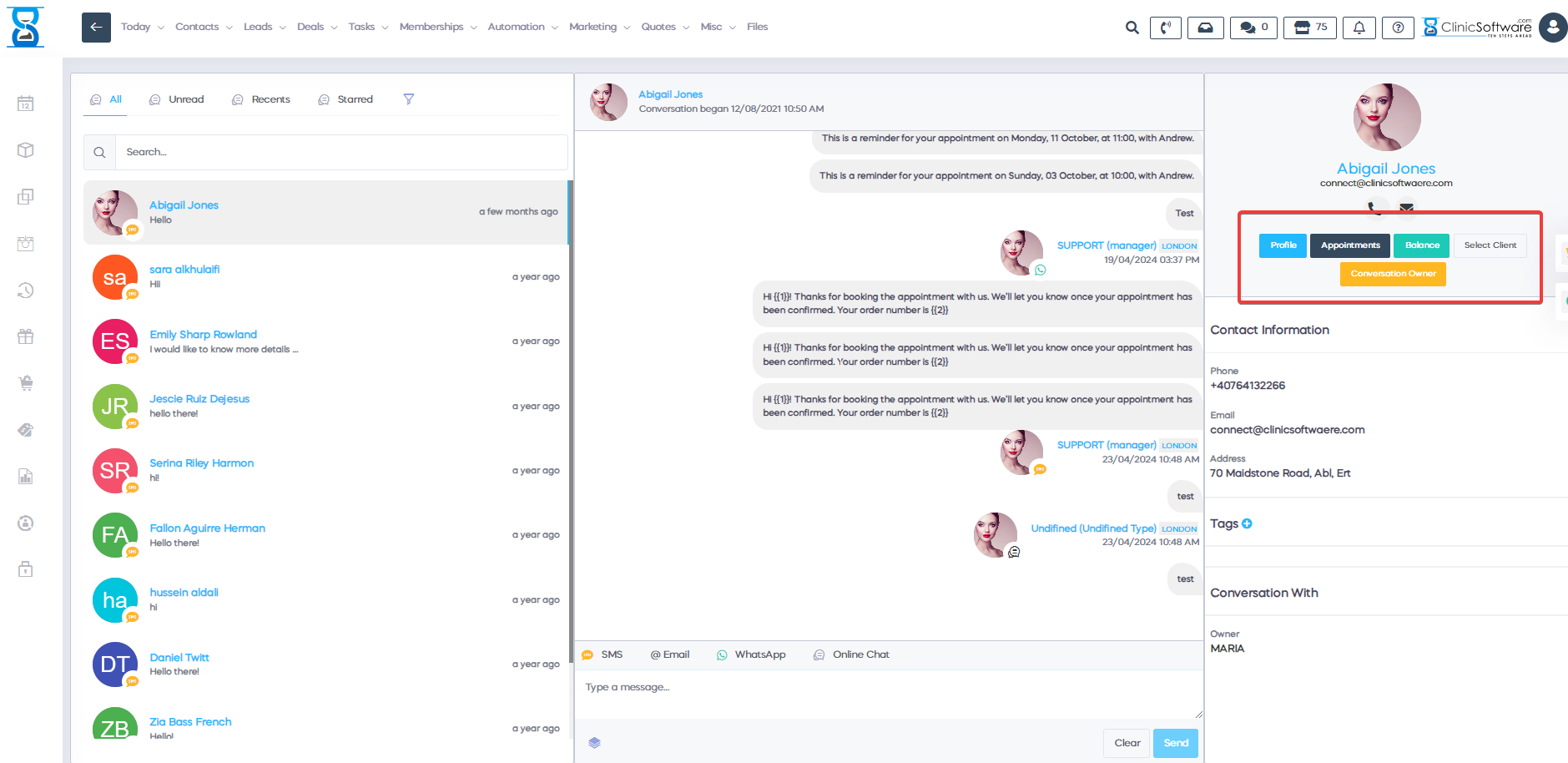
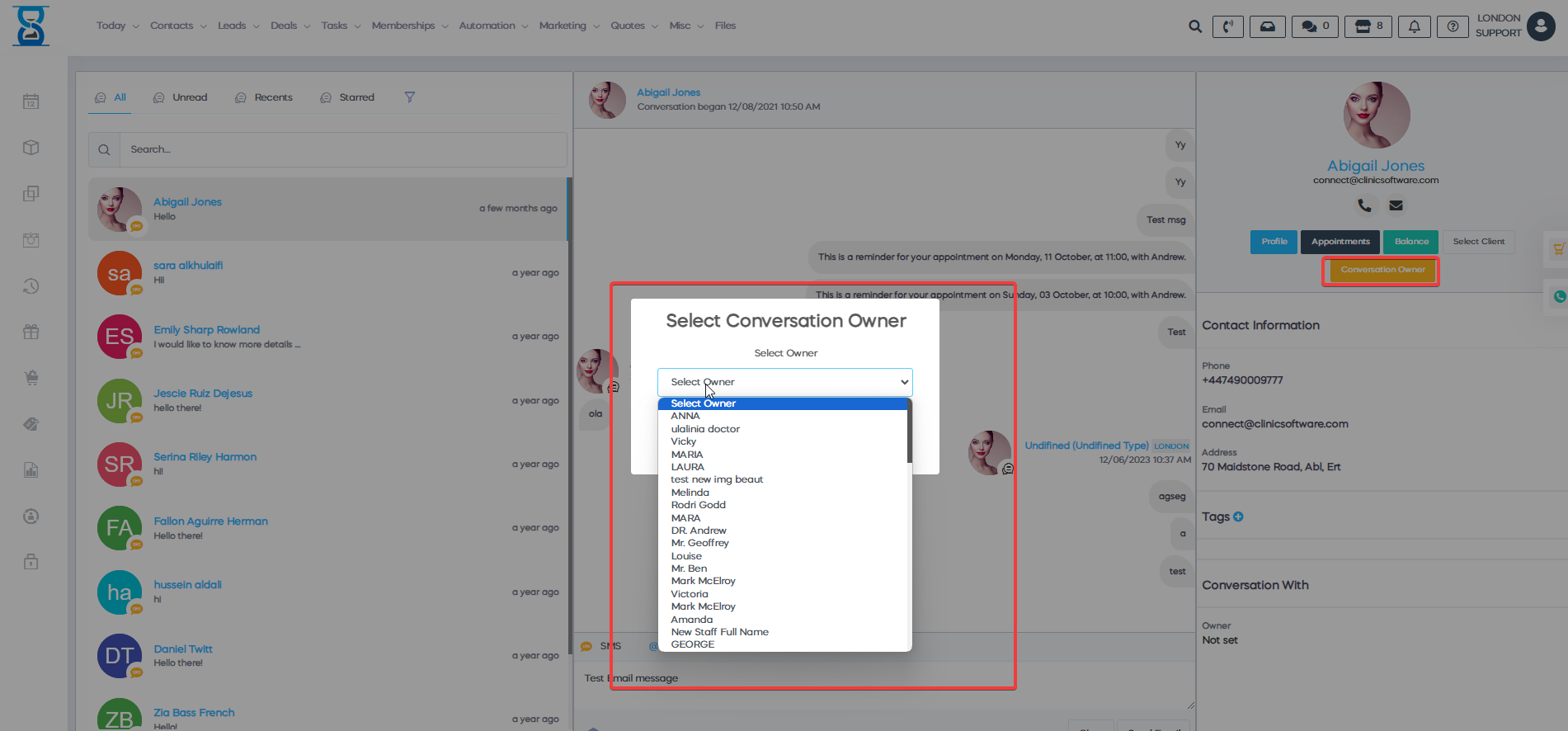
a)Moreover, you can assign a conversation to a staff member by clicking Conversation Owner.
Ā
Ā